Gratis
Every capture mode and markup tool
Free each month: 5 scrolling captures, 10 text or QR scans, 10 magnifiers and 5 framed exports.
 Paneshot
Coming soon
Paneshot
Coming soon
Paneshot for Mac
Capture your screen and it's on your clipboard. Mark what matters, then paste it anywhere.
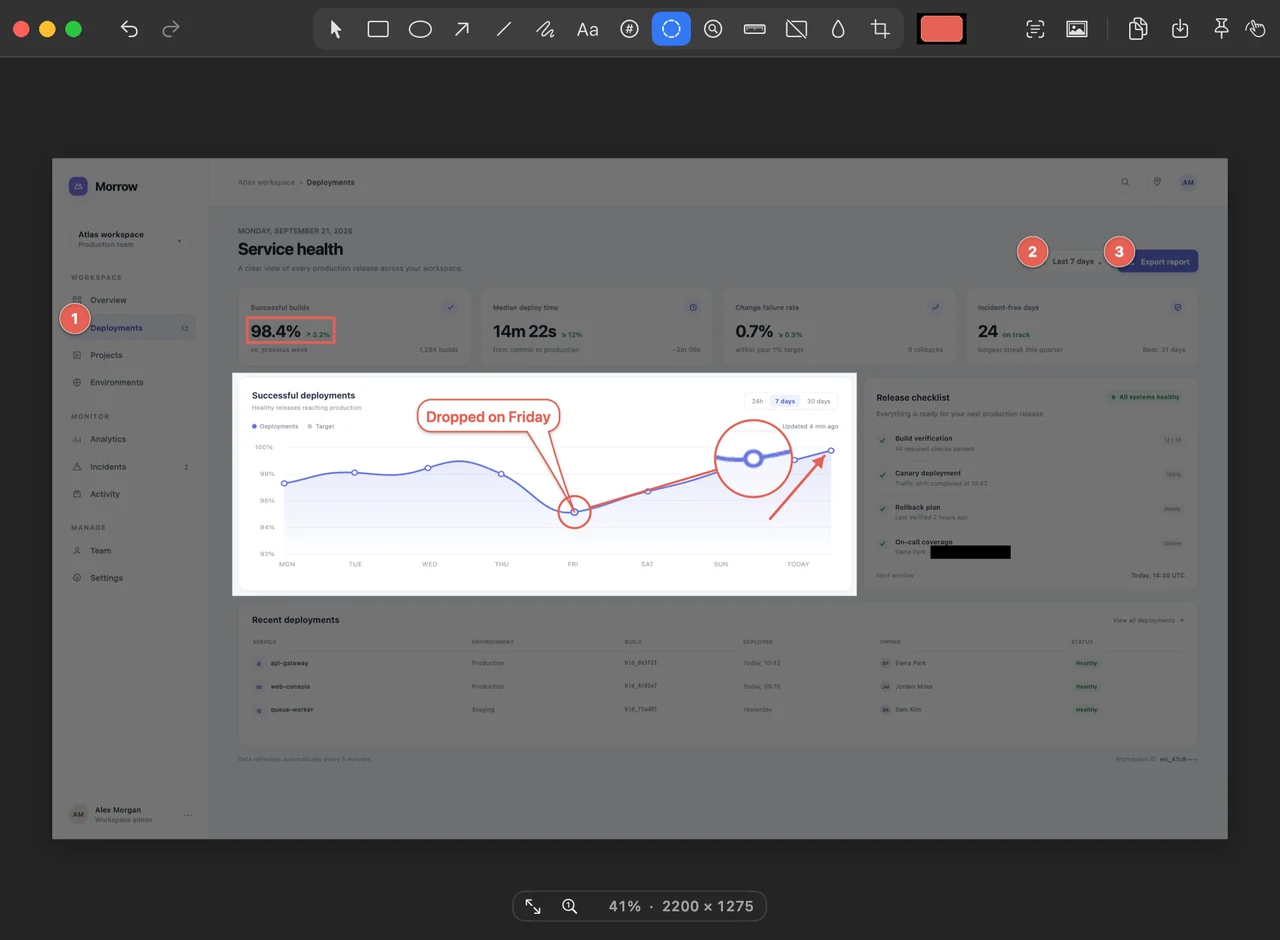
Twelve tools are free. Three are Pro, and you can try them for 14 days.
The full screen, a window, an area, or the same area again. Set your own shortcuts.
Capture a long page as one image. Works in browsers and documents.
Every capture is copied at once. Paste it, drag it from the preview, or save it.
Point, label, box or circle anything. Draw freehand, crop, and undo as you go.
Zoom in on a small detail, right on the screenshot.
Measure anything in pixels. Hold V or H, then click to keep it.
Hide emails, names and numbers before you share.
Paneshot finds emails, phone numbers and card numbers for you to hide. Always check the result.
Pull the text out of any screenshot, or read a QR code.
Add a background, padding and a Mac, browser or phone frame.
Put 2 to 6 screenshots in order and export them as one image.
Open an image or paste one in, then add more images below it.
Click each step and the badges number themselves: 1, 2, 3.
Dim everything except what matters.
Keep a screenshot floating above your windows while you work.
Paneshot never uploads your images or the text it reads. No account. No cloud.
The app sends anonymous feature-usage events. Never images, text or file names.
Every capture mode and markup tool
Free each month: 5 scrolling captures, 10 text or QR scans, 10 magnifiers and 5 framed exports.
One-off purchase · No subscription
Removes every limit and adds Step Numbers, Spotlight and Pin to Screen.
Every new install starts with a 14-day Pro trial.
macOS 13 Ventura or later. Intel and Apple silicon.