 Paneshot
Ruler
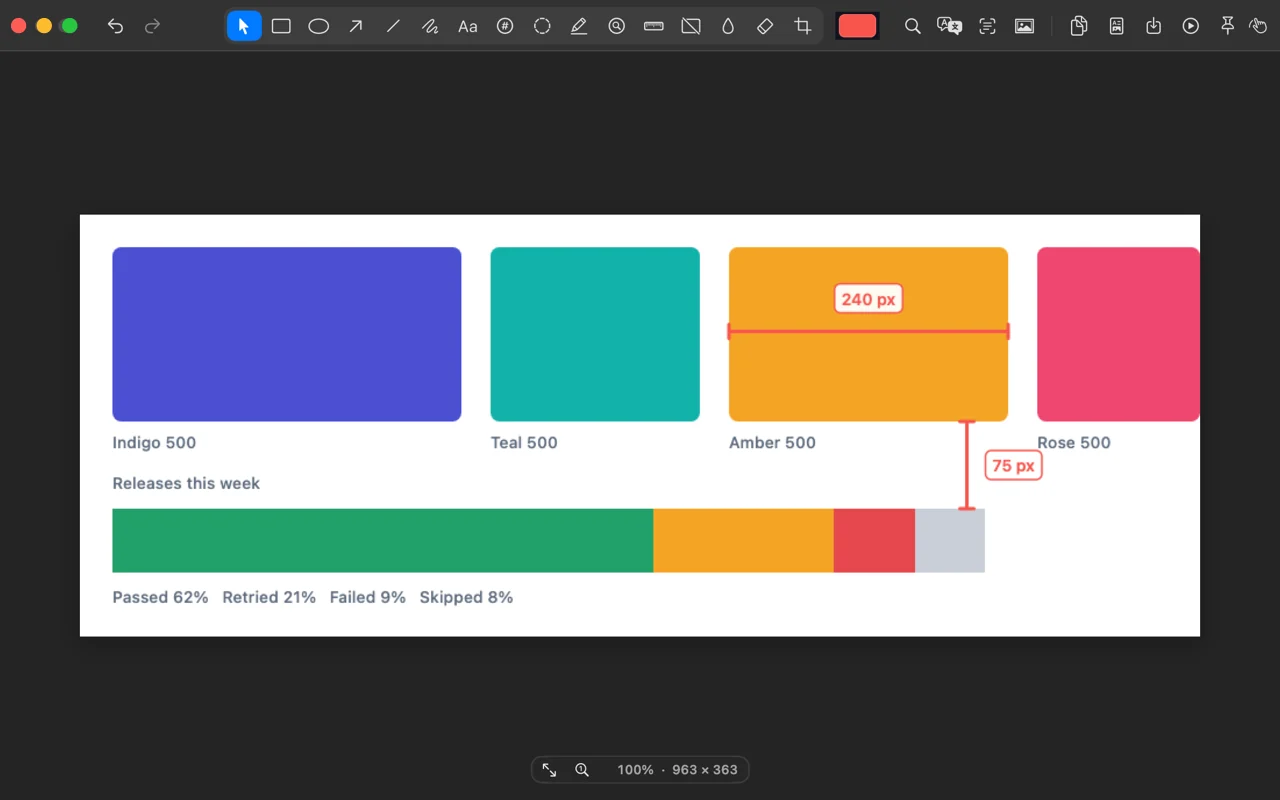
Measure the distance between colour changes under your cursor. Hold V for vertical or H for horizontal, then click to place it.
Included in Free. See Free and Pro
How to use it
- Choose Ruler in the Editor.
- Hold V for a vertical or H for a horizontal measurement as you move over the image.
- Click to place the measurement on the image.
Where to find it
Ruler in the Editor’s toolbar.
Good to know
- Measurements are in the capture’s own pixels.
Related tools
- Arrows, text and shapesDraw arrows, lines, boxes, circles or freehand. Add text, crop, and undo any step.
- MagnifyClick a detail and a lens enlarges it, right on the screenshot.
- Step NumbersProClick to add a numbered badge. Each new one takes the next number.
- SpotlightProDrag a rectangle and dim everything outside it.
- Find and HighlightProSearch the text in a screenshot and highlight every match at once. Or click one line to highlight only that.