 Paneshot
Private Handoff
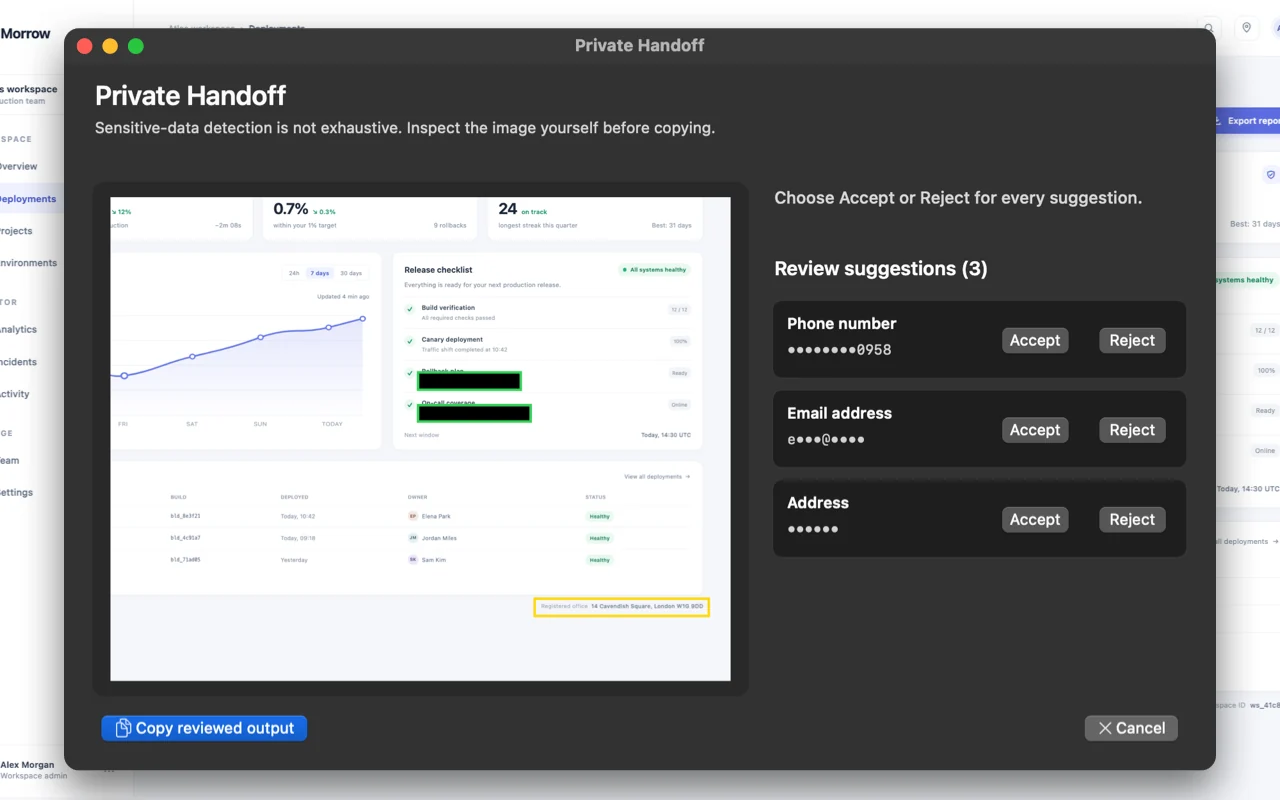
Paneshot suggests what to hide. You approve each redaction before anything is copied. Detection is not exhaustive.
Included in Free. See Free and Pro
How to use it
- Choose Private Handoff… and select an area.
- Paneshot suggests redactions for emails, phone numbers, addresses, card numbers and QR codes. Accept or reject each one.
- Choose Copy to put the reviewed image on your clipboard.
Where to find it
Private Handoff… in the menu bar menu.
Good to know
- Detection is not exhaustive. If nothing is suggested, you confirm that you checked the image before Copy is available.
- Private Handoff never replaces your current capture or copies anything by itself.
Related tools
- Blur and redactHide emails, names and numbers before you share.
- Smart EraseProNewDrag over a name, label or notification and it is gone. The background fills the gap. No black box, no blur.
- Auto RedactProBlack out personal details, keys and tokens in every capture before it reaches the clipboard. Faces too, if you turn that on.